Comparing stores in the Avia dashboard
Compare stores or store groups side by side across every Avia metric.
Avia lets you compare any two stores, or groups of stores, side by side across all metrics. For merchants with multiple locations, this removes the need to switch between stores manually and makes it easy to spot which locations are outperforming or underperforming.
Steps
Open the dashboard and click Compare at the top.
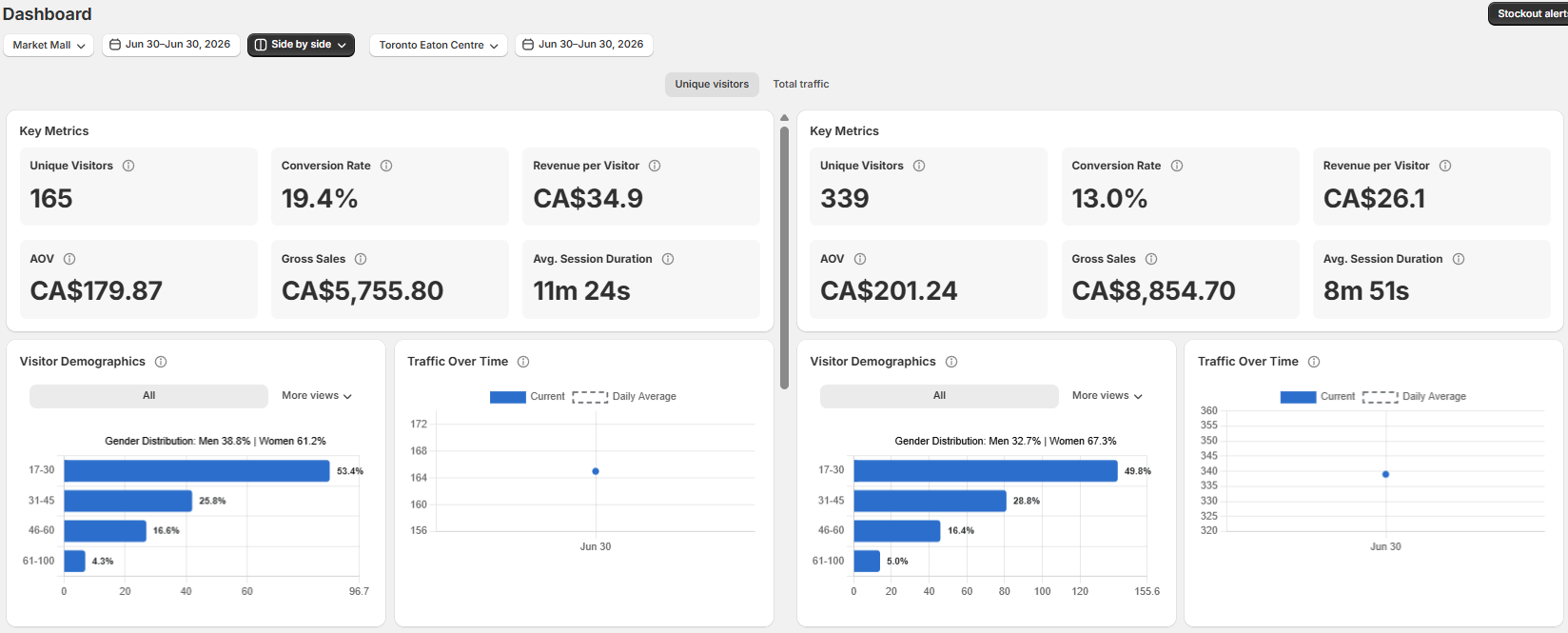
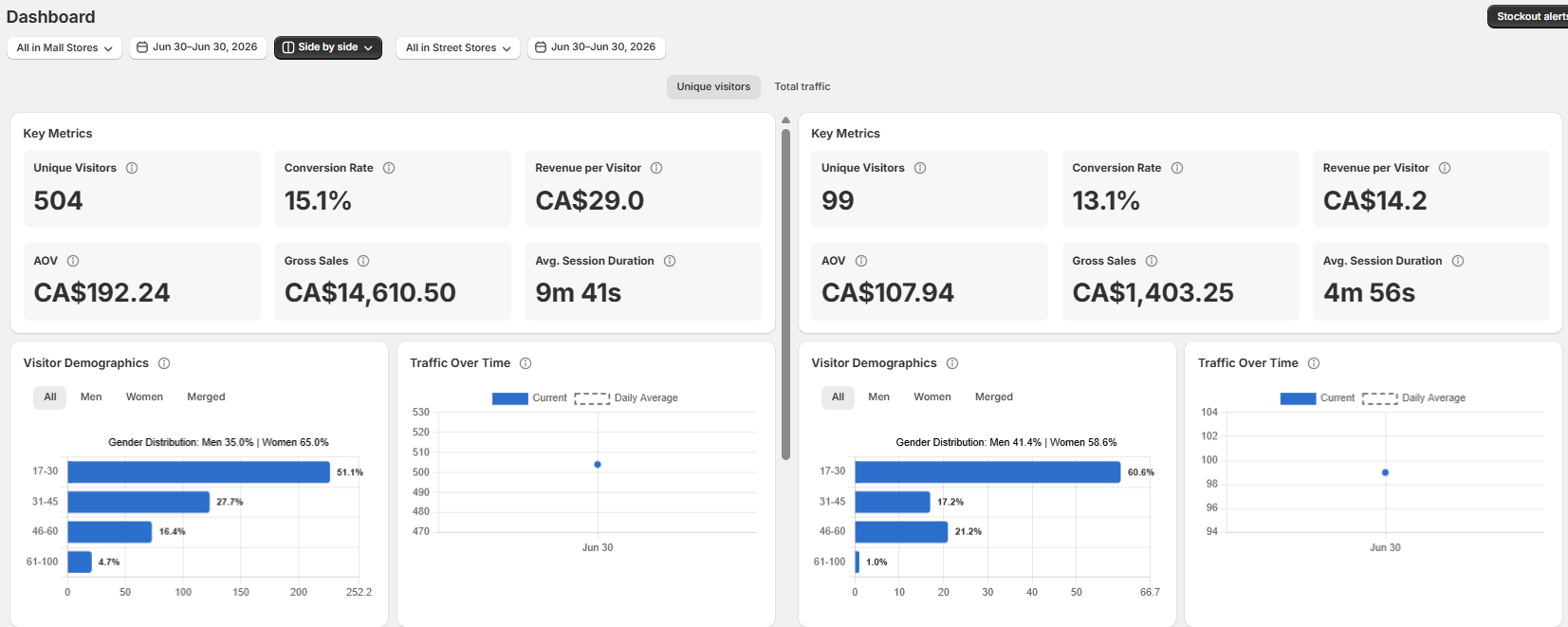
Choose what to compare: any two individual store locations, store groups (e.g. all Ontario stores vs. all Quebec stores), or custom groupings organised by any criteria you choose (region, store type, mall vs. street, etc.).
What you can compare
All metrics available in the main dashboard are available in the comparison view, including Unique Visitors, Conversion Rate, AOV, Average Session Duration, and Revenue per Visitor.
Related articles
Need help?
If the comparison data does not look correct, contact Avia support at avia.support@retailogists.com and include:
Store names being compared
Selected date range
A screenshot of the comparison view
Which metric looks incorrect
Was this helpful?
Still need help? Ask the team